How to Set Up WhatsApp Ordering for Your Restaurant (2026)
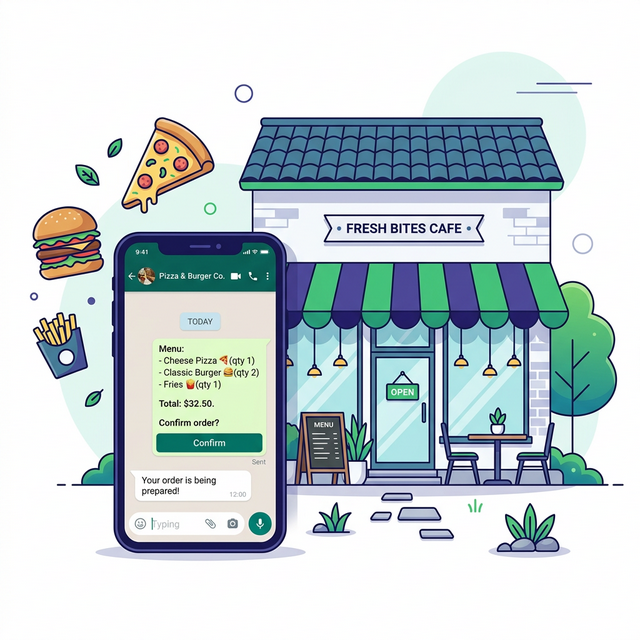
In 2026, WhatsApp has 3 billion active users — and your customers are already on it. Yet most restaurant owners still think they need an expensive website or a delivery app (with its 30% commission) to take online orders. The truth? You can set up a complete WhatsApp ordering system for your restaurant in under 5 minutes, and it won't cost you a single rupee.
This guide walks you through exactly how to take orders on WhatsApp — from choosing the right approach for your business, to setting up your free digital menu, to promoting it so orders start rolling in. Whether you run a small café in Lahore or a pizza shop in Riyadh, this is your complete playbook.
Why WhatsApp Ordering Is Replacing Delivery Apps in 2026
The restaurant industry is going through a massive shift. After years of paying 25–35% commission on every order to platforms like UberEats, Talabat, and Foodpanda, small business owners are fighting back. The movement toward direct ordering — where you own the customer relationship and keep 100% of the revenue — has reached a tipping point.
📊 Why Restaurants Are Switching
- • Zero commission fees — you keep every rupee, riyal, or peso
- • Direct customer relationship — you own the contact, not a middleman
- • Instant setup — no waiting weeks for website development
- • Higher repeat rates — WhatsApp messages have 98% open rates vs 20% for email
- • No app downloads needed — customers order through an app they already use daily
3 Ways to Set Up WhatsApp Ordering (Compared)
Before you start, it helps to understand your three main options. Each works, but they differ in speed, cost, and professionalism.
| Approach | Cost | Setup Time | Professional Look | Best For |
|---|---|---|---|---|
| Manual WhatsApp Chat | Free | Instant | ⭐ | Very small shops with <5 items |
| WhatsApp Business Catalog | Free | 30 min | ⭐⭐ | Simple menus, limited formatting |
| Digital Menu Platform ✅ | Free | 5 min | ⭐⭐⭐⭐⭐ | Any restaurant wanting a pro menu + WhatsApp orders |
| WhatsApp Business API | $50–500/mo | Days–Weeks | ⭐⭐⭐⭐⭐ | Large chains with developer teams |
✅ Our recommendation: A Digital Menu Platform gives you a professional storefront with WhatsApp ordering built in, often on a free tier. No coding, no API keys, no monthly bills.
Step-by-Step: Set Up WhatsApp Ordering in 5 Minutes
Here's how to go from zero to receiving your first WhatsApp order. The steps below apply to any digital menu platform — the field names differ, the sequence does not.
Create your menu
Create an account on your chosen platform and enter your restaurant name, WhatsApp number, and currency. Most have a free tier that needs no card.
Add Your Menu Items
Upload photos of your dishes, set prices, and organize by category (Appetizers, Mains, Drinks, Desserts). Customers see a beautiful, mobile-friendly menu they can browse instantly.
Share Your Menu Link
You get a permanent link to your menu. Share it on your WhatsApp Status, Instagram bio, Facebook page, Google Business Profile — anywhere your customers are.
Receive Orders on WhatsApp 🎉
When a customer adds items to their cart and taps "Order via WhatsApp," their complete order (items, quantities, total) arrives directly in your WhatsApp chat. Confirm and deliver — it's that simple.
That's it. No monthly fees. No commission on orders. No technical skills needed. Your restaurant now has a professional online ordering system powered by WhatsApp.
How to Promote Your WhatsApp Menu (and Get More Orders)
Setting up is only half the battle. Here are proven strategies to drive traffic to your WhatsApp menu and turn viewers into paying customers.
📱 WhatsApp Status
- • Post daily specials with your menu link
- • Share food prep videos (behind the scenes)
- • Announce limited-time offers
- • Your contacts see it without following you
📸 Instagram & Facebook
- • Add menu link in bio
- • Use Stories with "Order Now" sticker
- • Post in local community groups
- • End every post with your ordering link
📍 Google Business Profile
- • Set your menu link as "website URL"
- • Upload 10+ food photos
- • Post weekly specials as Google Posts
- • Respond to every review
🔲 QR Codes
- • Print on receipts and takeaway bags
- • Place on counter standees and table tents
- • Add to flyers in your neighborhood
- • Stick on delivery vehicles
💡 Pro Tip: WhatsApp Broadcast Lists
Every customer who orders via WhatsApp automatically saves their number in your chat. Build a Broadcast List and send weekly specials directly to past customers. WhatsApp messages have a 98% open rate — that's 5x better than email marketing.
The Real Cost: WhatsApp Ordering vs Delivery Apps
Let's do the math. Say your restaurant does 200 orders per month with an average order value of Rs. 1,500 (or ~$15 USD). Here's what you'd pay:
| Factor | Delivery App (30%) | WhatsApp API ($100/mo) | Digital menu platform (free tier) |
|---|---|---|---|
| Monthly orders | 200 | 200 | 200 |
| Commission per order | Rs. 450 | Rs. 0 | Rs. 0 |
| Platform fee/month | Rs. 0 | Rs. 25,000+ | Rs. 0 |
| Setup cost | Rs. 0 | Rs. 50,000+ | Rs. 0 |
| Total cost/month | Rs. 90,000 | Rs. 25,000+ | Rs. 0 |
| Annual savings vs app | — | Rs. 780,000 | Rs. 1,080,000 |
💰 That's over Rs. 10 lakh (Rs. 1,080,000) saved per year — money that stays in your business instead of going to a middleman.
Frequently Asked Questions
How do I set up WhatsApp ordering for my restaurant?
The easiest way is to use a free digital menu platform. Create your menu with photos and prices, then share the link. Customers browse and place orders directly via WhatsApp — no coding or website needed.
Is WhatsApp ordering free for restaurants?
Yes, at the entry level. WhatsApp itself is free, and several digital menu platforms offer free plans with zero commission fees. You only pay if you choose premium features or the WhatsApp Business API (which is optional and mainly for large chains).
Do I need the WhatsApp Business API?
Not for most small restaurants. The WhatsApp Business API costs $50–500/month and requires developer setup. A digital menu platform gives you professional ordering at zero cost. The API is only worth considering if you process 1000+ orders/day and need automated chatbots.
How do customers pay for WhatsApp orders?
Most small businesses accept cash on delivery, bank transfer, or mobile payment apps (JazzCash, EasyPaisa, STC Pay, etc.). You confirm payment when chatting with the customer on WhatsApp — it's simple and flexible.
Can WhatsApp ordering work for non-food businesses?
Absolutely. Any business that takes orders — flower shops, pharmacies, grocery stores, clothing boutiques, electronics shops — can use the same setup. If you sell products, you can take orders via WhatsApp.
Start Receiving WhatsApp Orders Today — It's Free
You don't need a website. You don't need a developer. You don't need to pay commissions to anyone. Thousands of restaurants and shops across Pakistan, India, the Middle East, and Latin America are already using WhatsApp as their primary ordering channel — and most of them set up in under 5 minutes.
OrderViaChat publishes free guides and tools for restaurants and small businesses that take orders directly. Learn how to set up WhatsApp ordering, browse all guides, or try our free tools.