Free WhatsApp Catalog for Restaurants (2026 Guide)
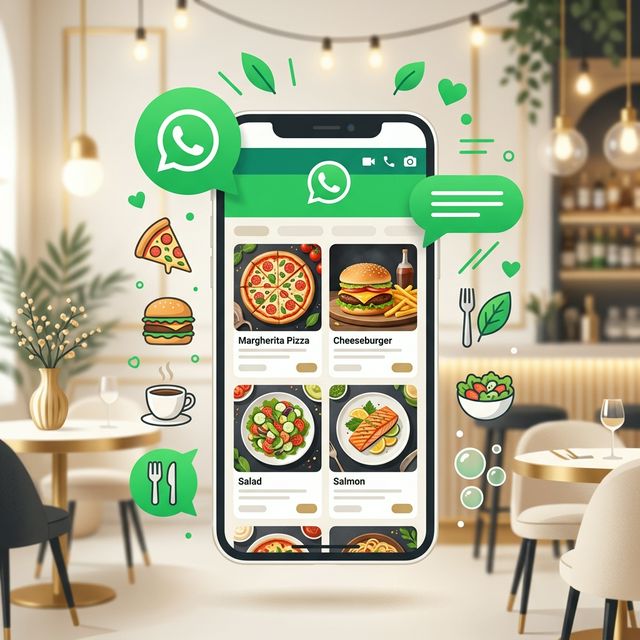
How to Create a Free WhatsApp Catalog for Your Restaurant (2026 Guide)
Your customers are already on WhatsApp. They message friends, share photos, and make plans — all in one app. So why are you still forcing them to download a separate delivery app, visit a website, or call in their order? With a WhatsApp Catalog, your menu lives right inside the app they already use every day.
A WhatsApp Catalog lets you showcase your dishes with photos, prices, and descriptions — and customers can browse, select, and order without ever leaving the chat. No app downloads. No website needed. No commission fees. In 2026, it's the fastest way to turn a WhatsApp conversation into a paid order.
This guide walks you through everything: setting up your catalog, organizing your menu, and turning browsers into buyers — all for free.
What Is a WhatsApp Catalog?
A WhatsApp Catalog is a built-in feature of the WhatsApp Business app that lets you display up to 500 products or services. Think of it as your digital menu inside WhatsApp. Each item can have:
- 📸 A photo
- 📝 A name and description
- 💰 A price
- 🔗 A link (e.g., to your full menu or ordering page)
When a customer opens your WhatsApp profile, they tap "Catalog" and instantly see your full menu — no typing, no PDFs, no confusion.
💡 Why this matters: According to Meta's 2026 Business Report, businesses using WhatsApp Catalogs see 40% more customer inquiries and 27% faster order completion compared to those using text-only menus.
WhatsApp Catalog vs. Other Menu Options
Before setting up your catalog, let's see how it compares to other ways restaurants share their menus:
| Feature | WhatsApp Catalog | PDF Menu | Website Menu | Delivery App |
|---|---|---|---|---|
| Cost | Free | Free | $20–$100/mo | 15–30% commission |
| Setup time | 30 minutes | 1 hour | Days/weeks | Hours + approval |
| Accessible in WhatsApp | ✅ Yes | ❌ External link | ❌ External link | ❌ Separate app |
| Photos per item | ✅ Yes | ❌ Usually not | ✅ Yes | ✅ Yes |
| Easy to update | ✅ Instant | ❌ Re-create file | ⚠️ Depends | ⚠️ Approval needed |
| Customer can order directly | ✅ Via chat | ❌ No | ⚠️ Depends | ✅ Yes |
| You own customer data | ✅ Yes | ✅ Yes | ✅ Yes | ❌ No |
📊 Bottom line: A WhatsApp Catalog gives you the speed and ease of a delivery app with zero commission fees and full ownership of your customer relationships.
Step-by-Step: Set Up Your WhatsApp Catalog
Step 1: Download WhatsApp Business
If you're still using the regular WhatsApp app for your business, stop. Download the WhatsApp Business app — it's free, and it unlocks Catalogs, Quick Replies, Labels, and more.
- Available on Android and iOS
- Use a dedicated business phone number (customers see this number)
- Fill out your Business Profile: address, hours, website, description
Step 2: Create Your Catalog
- Open WhatsApp Business → Go to Settings → Business Tools → Catalog
- Tap Add New Item
- Add a photo — use a clear, well-lit image of the dish. No blurry phone shots. First impressions matter.
- Enter the item name — keep it simple: "Margherita Pizza" not "Our Signature Hand-Tossed Italian Margherita"
- Set the price — customers want to know immediately. No "DM for price."
- Add a description — include key details: ingredients, portion size, dietary info (vegan, gluten-free)
- Optionally add a link — this is powerful. Link to your full online ordering page so customers can place a complete order
Step 3: Organize by Collections
WhatsApp lets you group catalog items into Collections — essentially categories. A well-organized catalog looks professional and makes ordering faster.
Recommended Collections for Restaurants:
- 🍽️ Main Course
- 🍕 Starters & Sides
- 🥤 Drinks
- 🍰 Desserts
- 🔥 Today's Special
- 📦 Combo Deals
💡 Pro tip: Create a "Today's Special" collection and update it daily. It gives customers a reason to check your catalog every day.
Step 4: Share Your Catalog
Once your catalog is live, share it everywhere:
- In conversations: When a customer asks "What's on the menu?", tap the 📎 icon → Catalog → select items to share
- On social media: Get your catalog link from Settings → Business Tools → Short Link
- On printed materials: Add a QR code to your table tents, receipts, and packaging. Customers scan it and go straight to your WhatsApp
- On Google Business: Add your WhatsApp link as your primary contact method
5 Pro Tips to Maximize Your WhatsApp Catalog
1. Use Professional Photos
Dishes with high-quality photos get 3x more clicks than text-only listings. You don't need a professional photographer — just follow these rules:
- Natural lighting (near a window)
- Clean background (white plate, wooden table)
- Overhead or 45-degree angle
- No filters that change food color
2. Price Everything
Catalogs without prices get abandoned. Customers don't want to ask "How much?" — they want to tap and order. Make every item have a clear price.
3. Add a "Order Now" Link
For each item (or at least for combo deals), add a link to your full ordering page. This way, customers can go from browsing your catalog to placing a full order with delivery details in seconds.
4. Update Weekly
Stale catalogs kill repeat visits. Update at least weekly:
- Add seasonal items
- Remove out-of-stock dishes
- Rotate your "Today's Special" collection
- Update prices when needed
5. Combine with Broadcast Lists
Every customer who messages you about the catalog is a marketing lead. Add them to a Broadcast List and send weekly specials. Catalogs + broadcasts = a complete sales machine.
Taking It Further: From Catalog to Full Store
A WhatsApp Catalog is a great start, but it has limitations:
- ❌ No cart or checkout
- ❌ No order tracking
- ❌ No delivery address collection
- ❌ Maximum 500 items
- ❌ No order history or analytics
That's where a complete WhatsApp ordering system comes in. One gives you everything a catalog does — plus a full branded store, cart, checkout, order notifications, and customer management.
| Feature | WhatsApp Catalog | Full ordering system |
|---|---|---|
| Menu display | ✅ | ✅ |
| Photos & descriptions | ✅ | ✅ |
| Shopping cart | ❌ | ✅ |
| Order checkout | ❌ | ✅ (via WhatsApp) |
| Delivery address | ❌ | ✅ |
| Order tracking | ❌ | ✅ |
| Analytics | ❌ | ✅ |
| Custom branding | ❌ | ✅ |
| Cost | Free | Free tier available |
🚀 Think of it this way: A WhatsApp Catalog is your menu board. A full ordering system is the whole front of house — with the menu board included.
Frequently Asked Questions
Is a WhatsApp Catalog free to create?
Yes, completely free. The WhatsApp Business app is free to download and use, and there's no limit on how many items you can showcase (up to 500). No subscriptions, no hidden fees.
Can I use a WhatsApp Catalog without the Business API?
Absolutely. The catalog feature is built into the free WhatsApp Business app. You don't need the API unless you're processing thousands of messages per day. For most small restaurants, the free app is more than enough.
How do customers place orders through my catalog?
When a customer browses your catalog and selects items, they can send those items to you as a message. You then confirm the order, agree on delivery/pickup details, and process payment — all within WhatsApp. For a more streamlined process, use a menu tool that adds a cart and checkout on top.
How many items can I add to my WhatsApp Catalog?
You can add up to 500 items. That's more than enough for most restaurants. If you have a larger menu, prioritize your best-sellers and most profitable dishes.
Can customers pay through WhatsApp?
WhatsApp Pay is available in select countries (India, Brazil). In other regions, you can send a payment link, accept cash on delivery, or integrate your preferred payment method through your menu platform.
Start Building Your WhatsApp Catalog Today
A WhatsApp Catalog is the easiest, fastest way to get your restaurant menu in front of customers. It takes 30 minutes to set up, costs nothing, and works on the app your customers already use every day.
Here's your action plan:
- ✅ Download WhatsApp Business (if you haven't already)
- ✅ Add your top 20 dishes with photos and prices
- ✅ Create 3-4 collections to organize your menu
- ✅ Share your catalog link on social media and in-store
- ✅ When you're ready for a full ordering system, add a hosted menu with a cart on top of the catalog
Your menu deserves more than a PDF. Give it a home on WhatsApp — where your customers already are.